Yeah, it’s been a beat. Last time, I shared that I had moved to Linux and giving it an honest go.
Well we’re in June now and Fedora is still my primary driver.
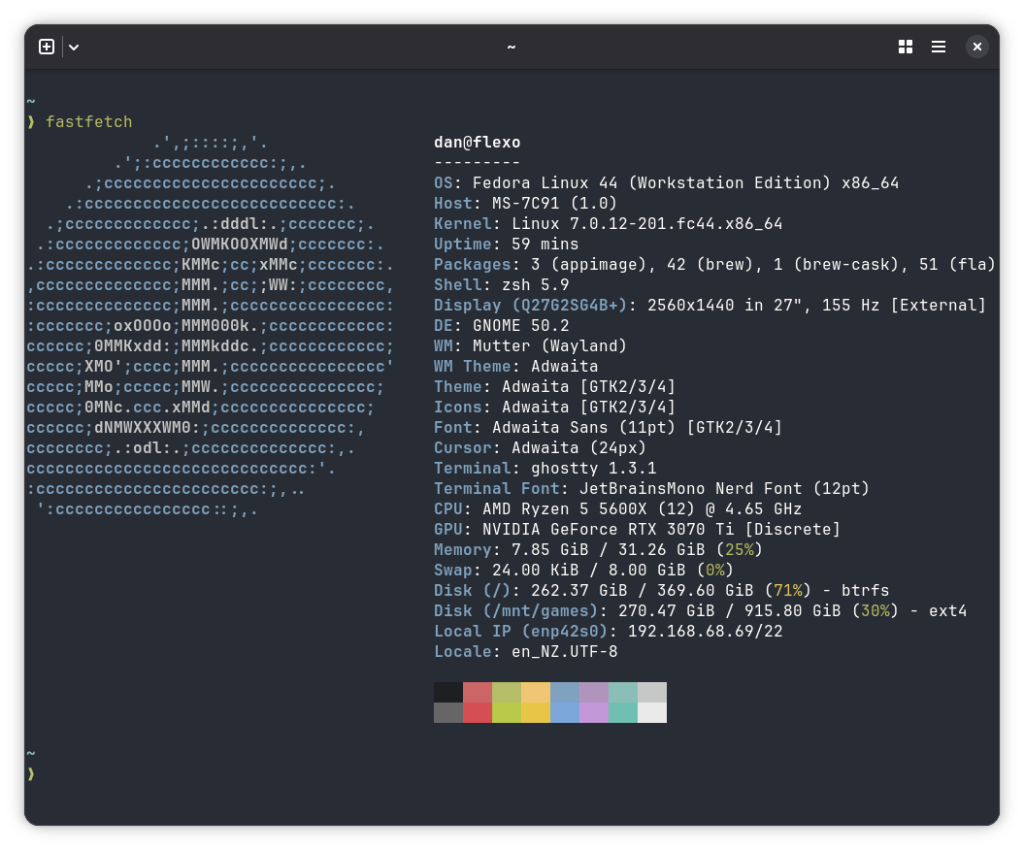
Has it been smooth sailing? 🤷️ Maybe not.
When I share with others that I’m using Linux these days, and do game, they’re often of the opinion that they just want a game to “just work” and not fiddle around with settings.
Often I laugh it off (who doesn’t play around with the settings when they launch a game on PC?). But I would be lying that every experience has been perfect.
So after six months of Linux, what has been great and what hasn’t?
Claude is a saviour
Do your own research they say. The Linux community isn’t exactly the most welcoming however.
For example, I noticed that updates weren’t auto-installing. Generally, I don’t want to worry about loading the Software app every once in a while to update everything. Just do it.
My search for how to configure this though? “Why not go back to Windows?” was the first result.
In comes generative AI. I set up a project in Claude to let it know my system configuration and that it should search the internet to find answers. It works great. After installing Claude Code I also created a small script that let me “ask” Claude what command I should run for certain actions.
The use of Claude as my go-to support for any issue has been really helpful. It hasn’t been perfect, there definitely have been times where it has lead me astray. But it gets me most of the way there.
(If you want to use Claude Desktop on Linux, there’s a community that has created the Claude Desktop for Linux app that works great, even with Cowork. The project is called “claude-desktop-debian” but it supports many distros now.)
Steam Link is mediocre, and getting Sunshine to work took effort
I like to game from my couch at home, so in Windows I used a mix of Sunshine and Steam to do the streaming. On Linux, Steam has some interesting quirks with Wayland that lead to me launching games only to be greeted with an error that I need to run Steam with a specific switch.
Fine, I’ll go to Sunshine. But it took me some time to find a build of Sunshine that actually worked properly for Fedora and its security systems. Which one did I go with?On a check, it’s from the LizardBye Copr stable repo. It’s updated fairly regularly.
Sunshine works great, especially now I have an ethernet connection.
However there are quirks there too. For example, if I installed a game via the Heroic launcher (Control, from the Epic Game Store), and then tried to run it through Steam, it wouldn’t pick up my controller.
Speaking of controllers, through my Apple TV I use a PlayStation 5 controller. On my PC I use an Xbox controller. The PS5 controller is set up as a touchpad device, which overrides the touchpad controls. I had to do some udev magic (thanks Claude) to disable that (although I later found that it may have just needed a long-press of the Start button, Sunshine’s docs aren’t clear).
But even then, the PS5 controller just would not be picked up. And it turns out it’s a Heroic issue.
At least Control is available for about NZ$6 on Steam right now. That’s five bucks. If it means I don’t have to deal with Epic Games, then that’s a win I suppose.
Defrag? In 2026?
One day I booted up my computer only to find that it ran sluggish. Barely anything was running. I couldn’t understand it, but I knew in the Windows days that it usually meant I was low on disk space. So I looked at the free disk space in the Files app.
Plenty there!
Strange. I dug some more. And it turns out it kinda was true, but also wasn’t.
So the BTRFS file system can get to a point where it doesn’t clean up space that was taken, but is now free. This is called “rebalancing”. While everything was telling me that I had enough free space, the reality was that it was 99% taken up and the difference was that those blocks weren’t being tidied up. Here’s an example Reddit thread complaining about it.
To fix it, just sudo dnf install btrfsmaintenance. The BtrfsSig Fedora group don’t believe it should be installed by default, but since then I haven’t had any issues.
No Apple Music client
There is no official Apple Music client that supports Windows, and the Windows app can only be accessed via the Microsoft Store so isn’t usable in Linux land at all.
The good news is that there is a web version of Apple Music at music.apple.com.
There are some downsides:
- Any playlists that are “Smart Playlists” won’t work, and some stations. This includes your “Favourites” playlist.
- It requires specific DRM requirements, that the mainstream browsers support, but just be wary of.
I tried to wrap it in a PWA, and because Firefox abandoned their PWA efforts a few years ago you need to download an extension and third party app to make it work.
There is an app called Cider that seems to be hooking in to some of the same Apple Music Web things, but in a custom UI and a paywall.
Someone else recently created a nicer Electron-wrapped version of the main Apple Music web client, with notifications and audio pipeline integration (so you can play/pause etc via the system controls). It’s called Sidre, and it’s quite easy to install.
Not backing down yet
Overall, I’m still not planning to switch back to Windows any time soon, and if anything moving to Linux has been a nice little hobby so I’m not just doom scrolling on my PC.
The progress Linux has made to be an easy to use OS is great, but there’s definitely still the edge-cases that haven’t been solved yet.
The biggest win was upgrading from Fedora 43 to 44 with no issues. One day I might try KDE. But for now, I’ll stick to what is working for me.

